

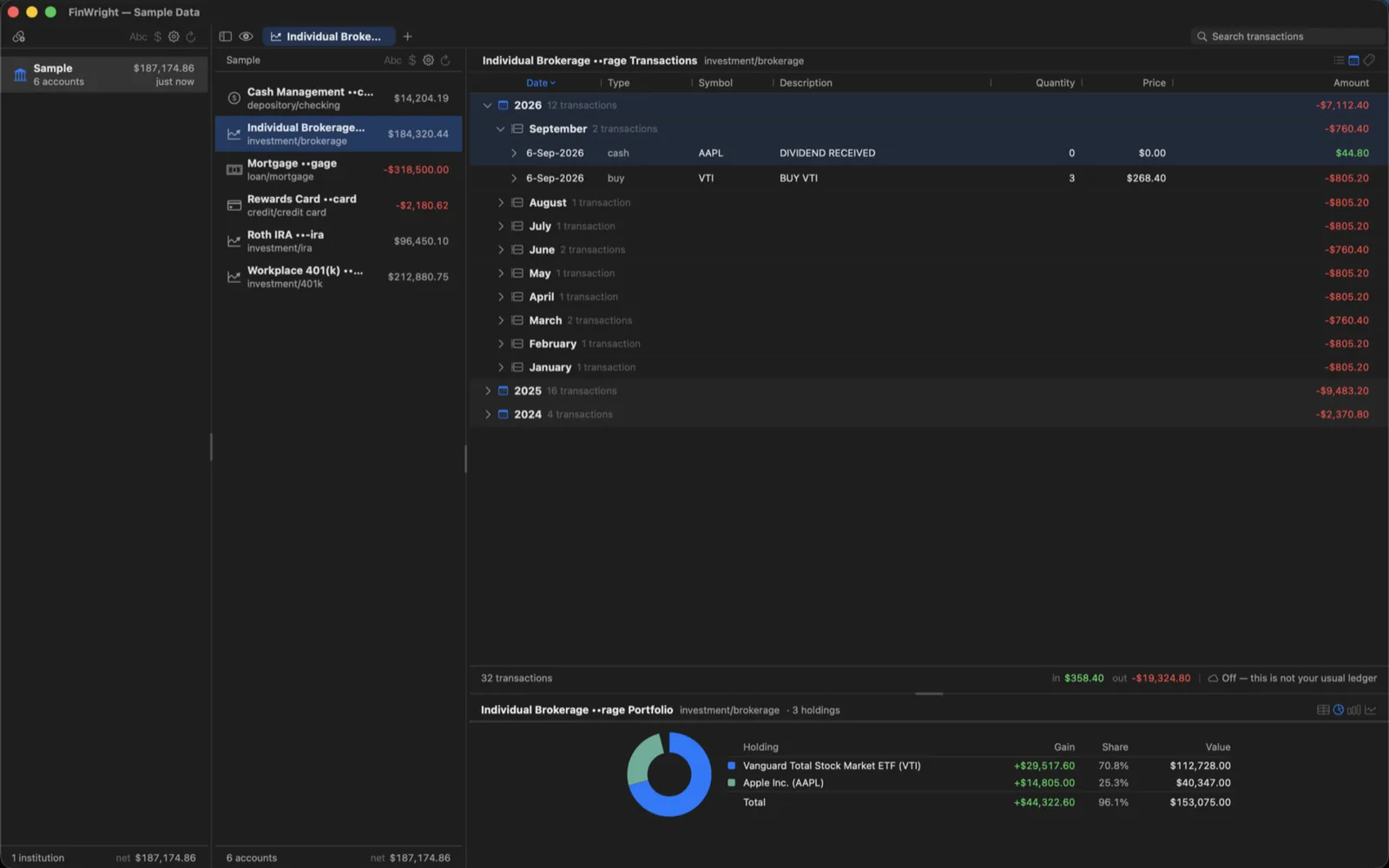
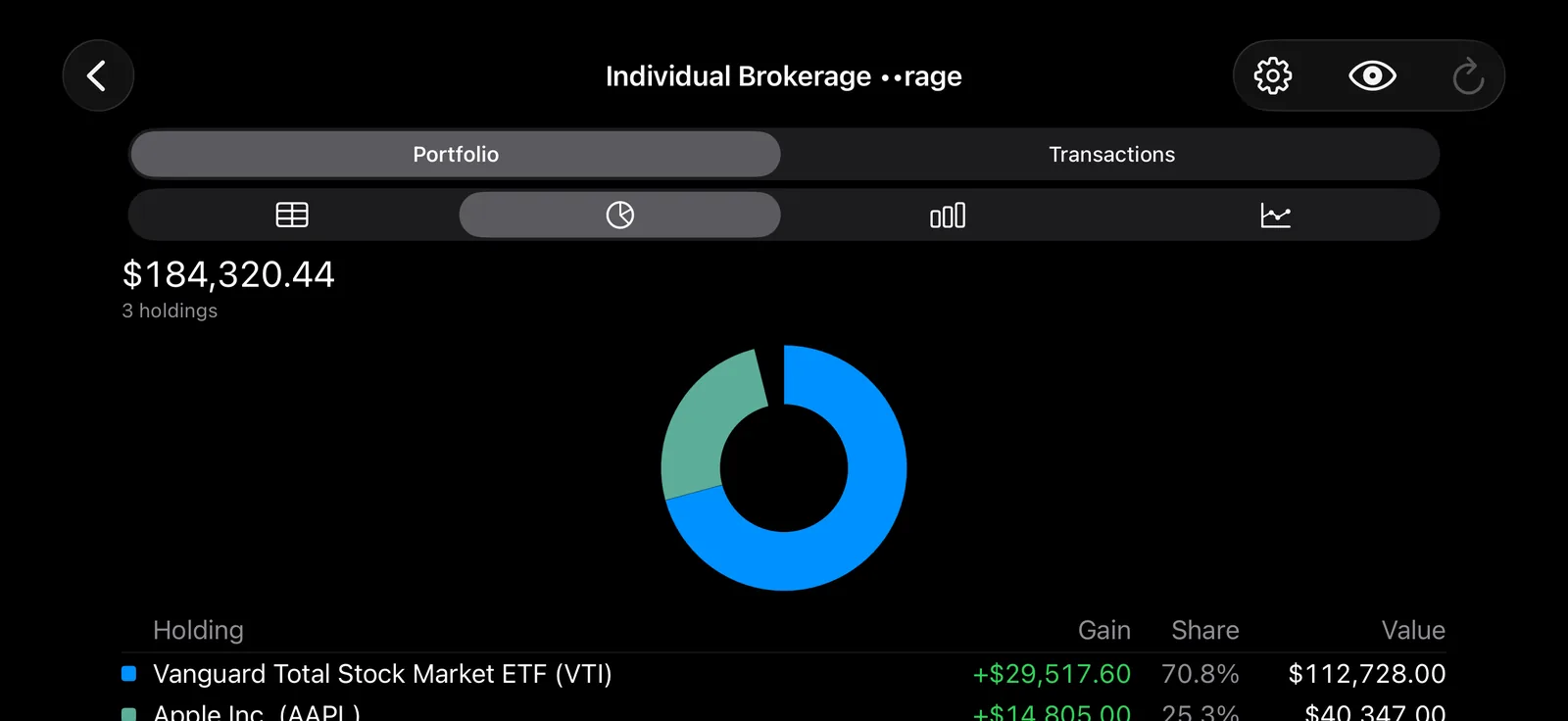
FinWright shows every account you have in one window, on your own devices. Connect your banks and brokerages through Plaid and it pulls your balances, holdings and transactions into a single encrypted ledger that lives on your device. Institutions on the left, their accounts in the middle, transactions on the right — drill down without losing your place.
Where your data lives
On your own devices, in a ledger encrypted with a key kept in the system keychain. FinWright has no server and no account to sign up for. Nothing is uploaded to us, nothing is shared, and nobody else can see your finances — including us. Your Plaid credentials and each institution’s access token are kept in the keychain, never in a config file.
Net worth, not gross assets
Loans and credit cards subtract. The total at the bottom of your accounts is what you are actually worth, not what you happen to hold.
Where it is all going
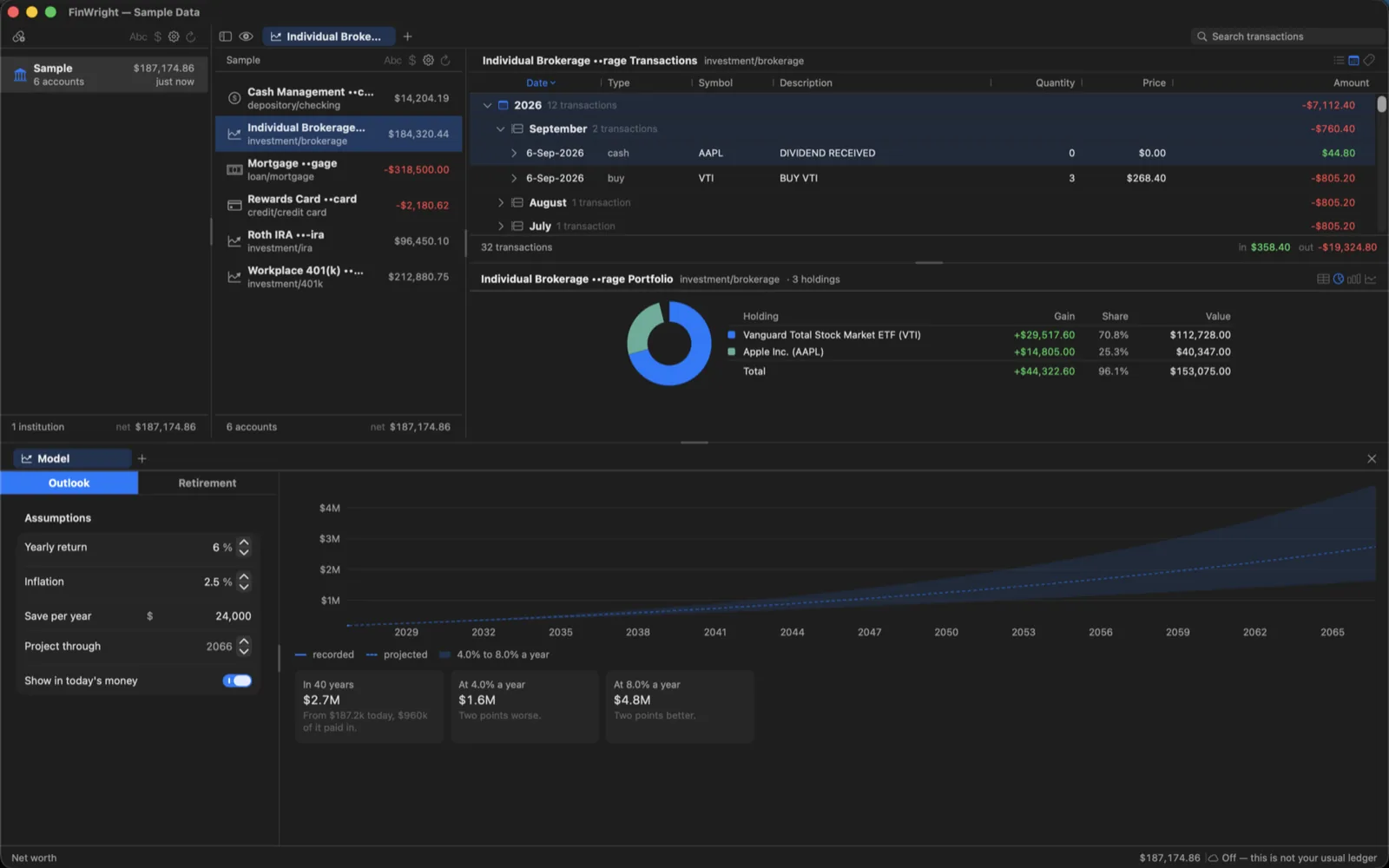
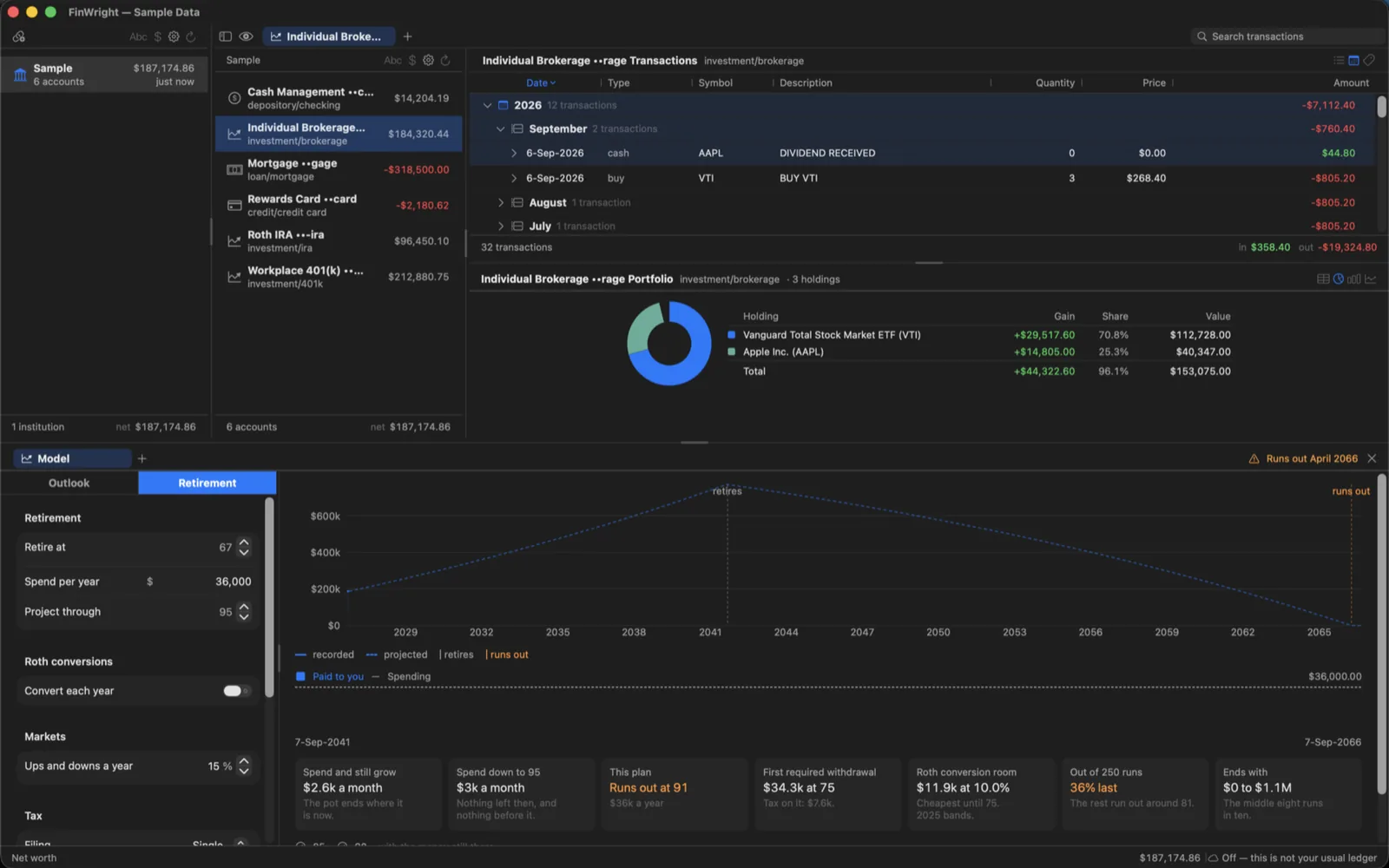
Click the total and the same window answers two questions.
- Outlook — what these assets come to over the next twenty or forty years, with a shaded band for the two points of return either way that reasonable people disagree about.
- Retirement — what you can spend a year, when the money runs out if you spend more, what the first required withdrawal costs in tax, and how much room a Roth conversion has this year.
- Two hundred and fifty runs against returns that jump about say how often the plan survives, rather than only what happens if every year is average.
- Keep several models of the same money open as tabs — retire at 62 beside retire at 67 — and compare them without retyping either.
Locked by default
FinWright locks when it opens and whenever you press Command-L. Touch ID or Face ID unlocks it. Multi-factor authentication with an authenticator app is built in, with recovery codes for when you lose the phone.
Built for the keyboard
- Tab moves between the institution, account and transaction panes and the search field.
- Arrow keys walk the list; left and right open and close a transaction’s detail.
- Drag the columns into the order you want and set their widths; both are remembered.
- Show transactions flat or grouped into years and months, and write dates the way you write them.
- Every action in the toolbars is also a menu item with a name.
On your iPhone and iPad, too
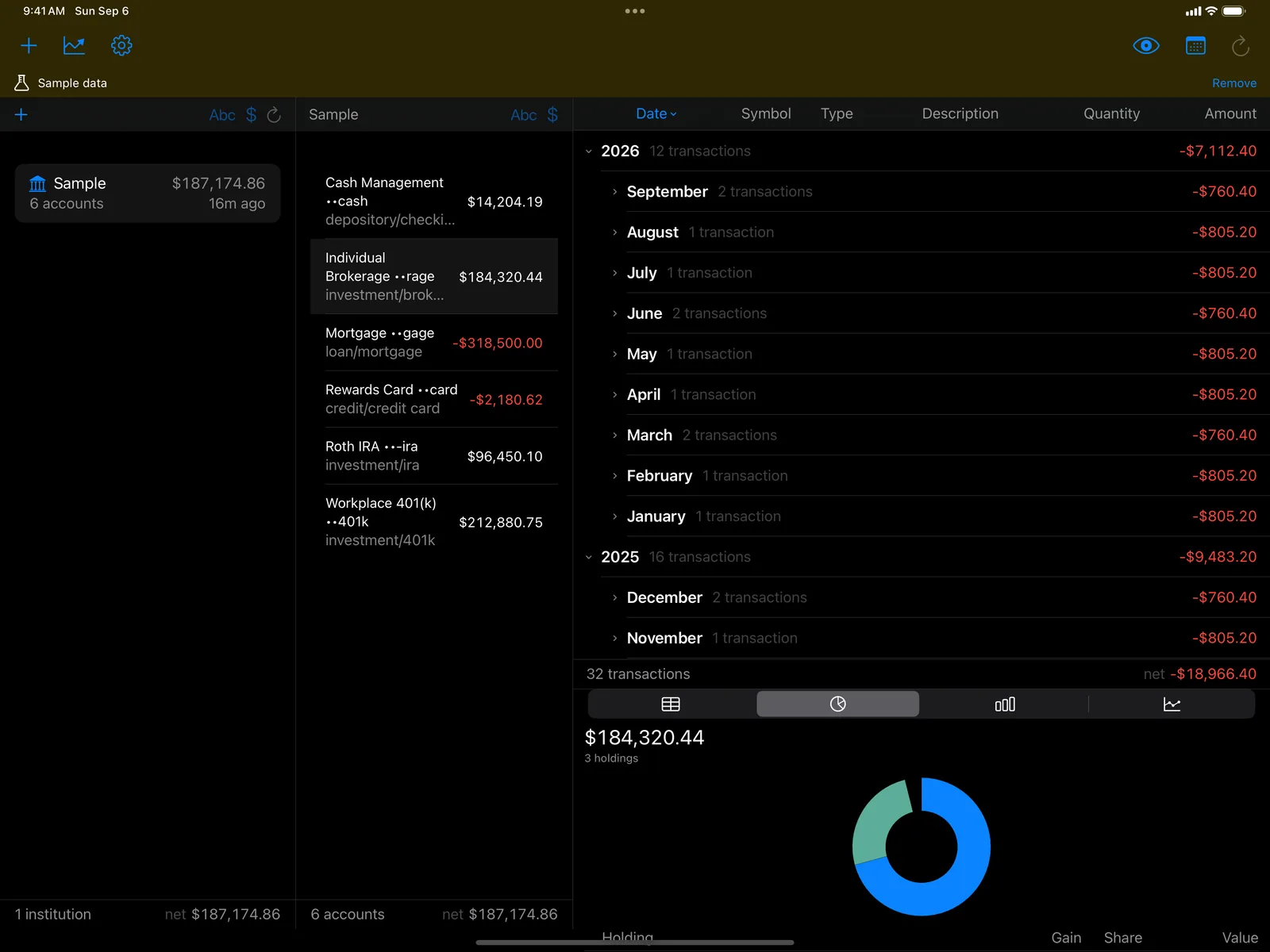
Turn on Sync with iCloud and your accounts appear in FinWright on your iPhone and iPad, or pair a device with six digits and they sync directly over your own Wi-Fi. Either way your ledger travels only between your own devices; there is still no server in the middle. Settings lists every device holding a copy, and can strike one off, which is the answer for an iPad you are passing on.
More screens
Private by design
No accounts with us, no ads, no analytics, no telemetry. FinWright talks to Plaid when you ask it to refresh, and otherwise only to your own devices. See FinWright’s privacy policy.
Requires your own Plaid account. FinWright connects through Plaid, which needs your own Plaid client ID and production secret, with access to the Investments and Transactions products. Plaid will charge your account for the data it serves. There is also a full sample portfolio built in, so you can see the whole app before setting any of that up.
Questions, or something not working? Get in touch — we read every message.