

macOS has no HealthKit. There is no Apple API for reading the Health app on a Mac, and none on Mac Catalyst either, so the years of readings your watch and your phone have quietly collected can be looked at anywhere except the screen big enough to look at them on. That is the problem HealthWright exists to solve.
The iPhone and iPad apps read Health as new readings arrive and send them straight to your Mac over your own Wi-Fi. Nothing passes through anybody’s server. Nothing goes to iCloud. There is no account to make.
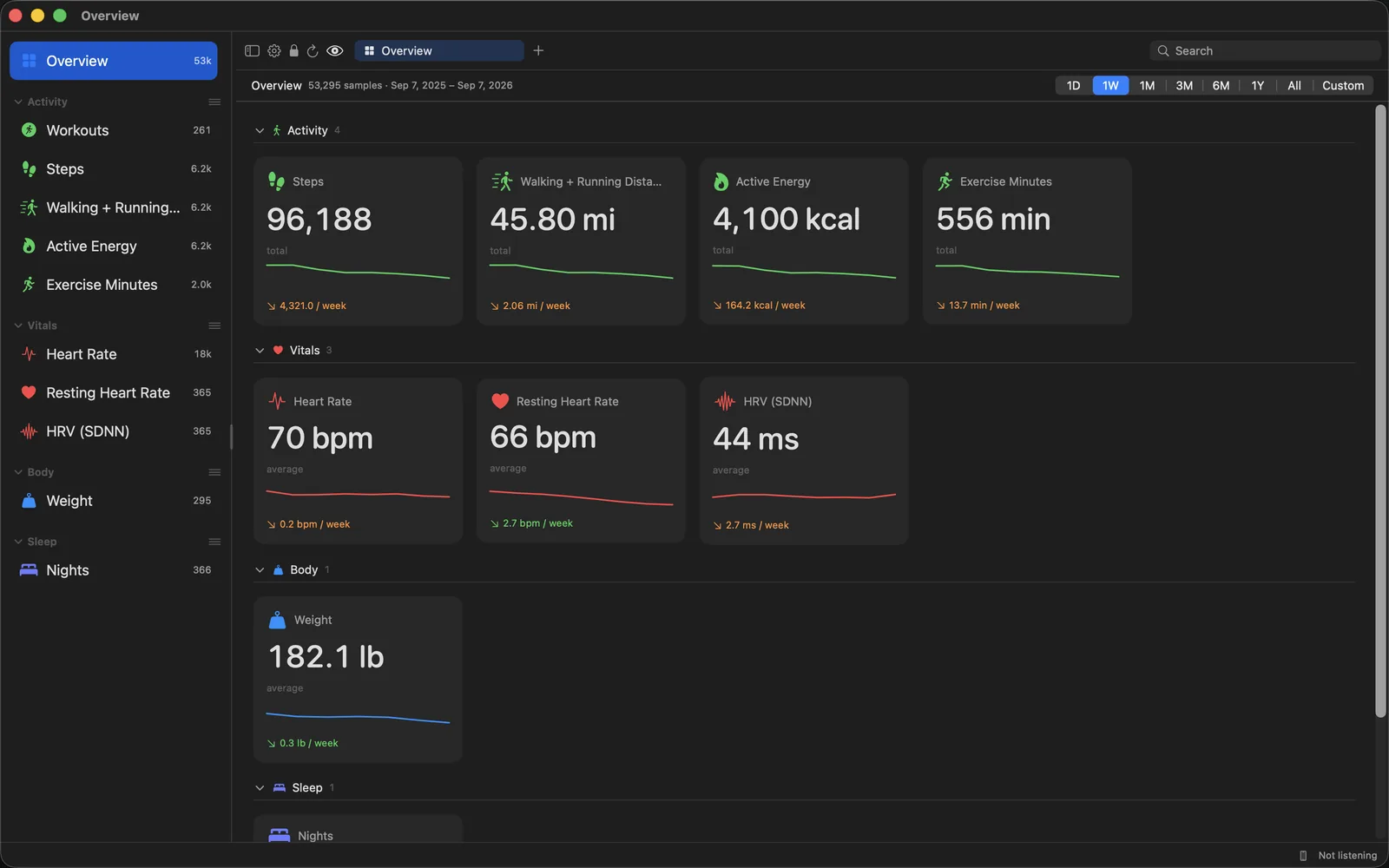
What you see
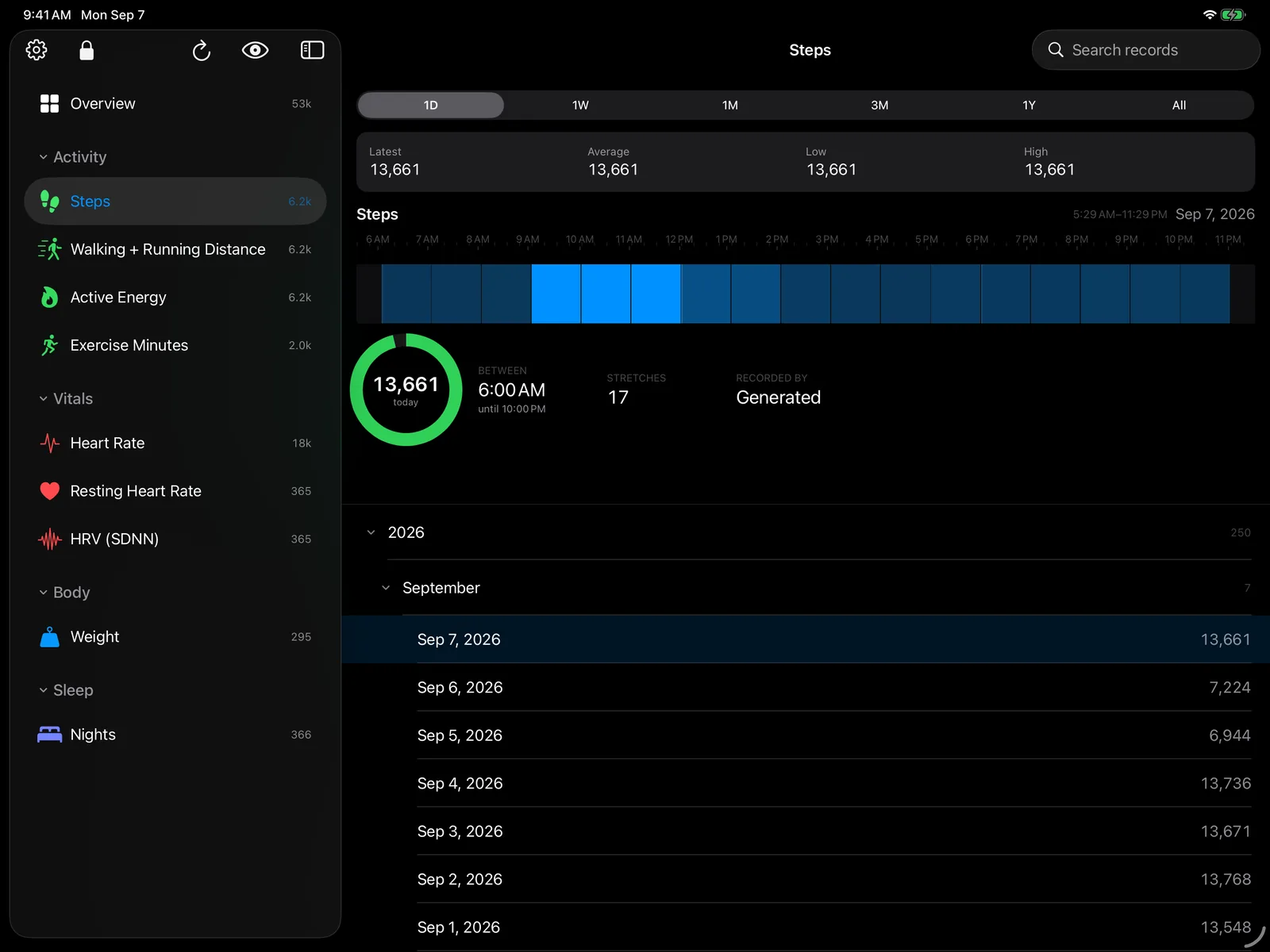
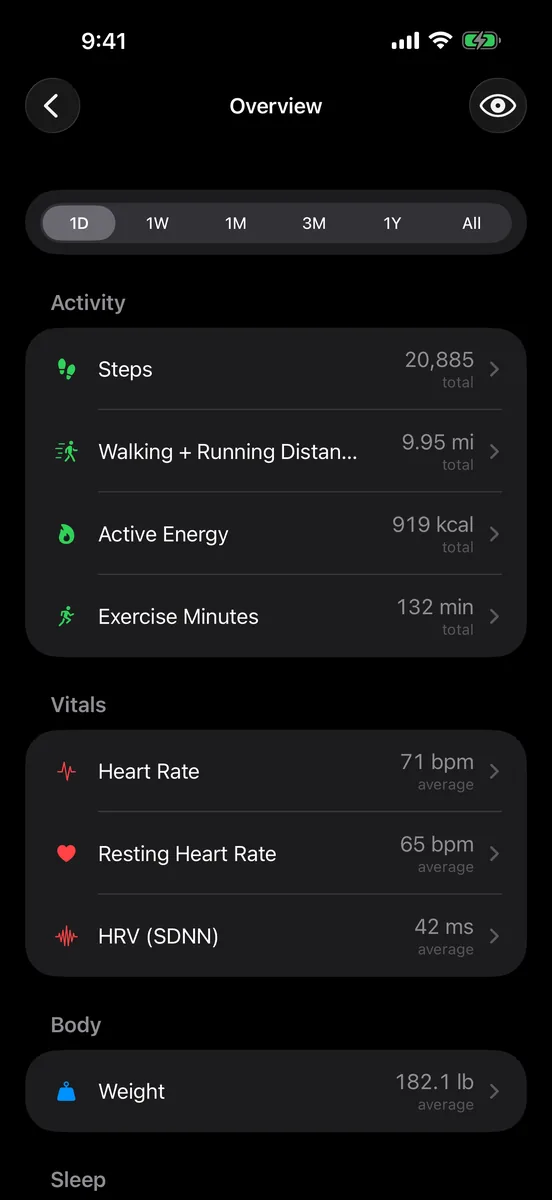
- Steps, walking and running distance, active energy and exercise minutes — drawn hour by hour across the clock, so a day says when it happened, not just how much of it there was.
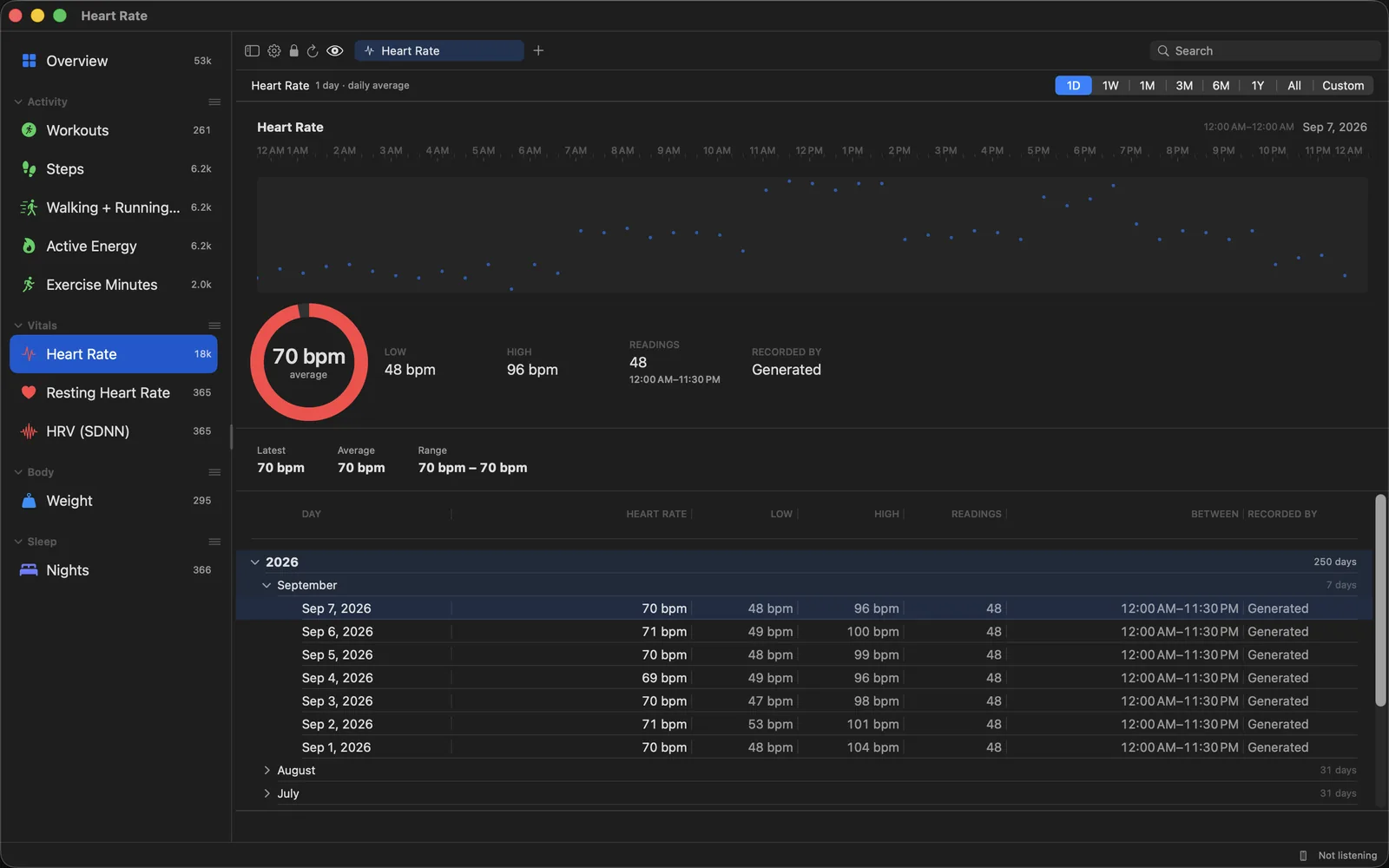
- Heart rate, resting heart rate and heart rate variability, from midnight to midnight, overnight trough and all.
- Weight, over as long as you have been standing on the scales.
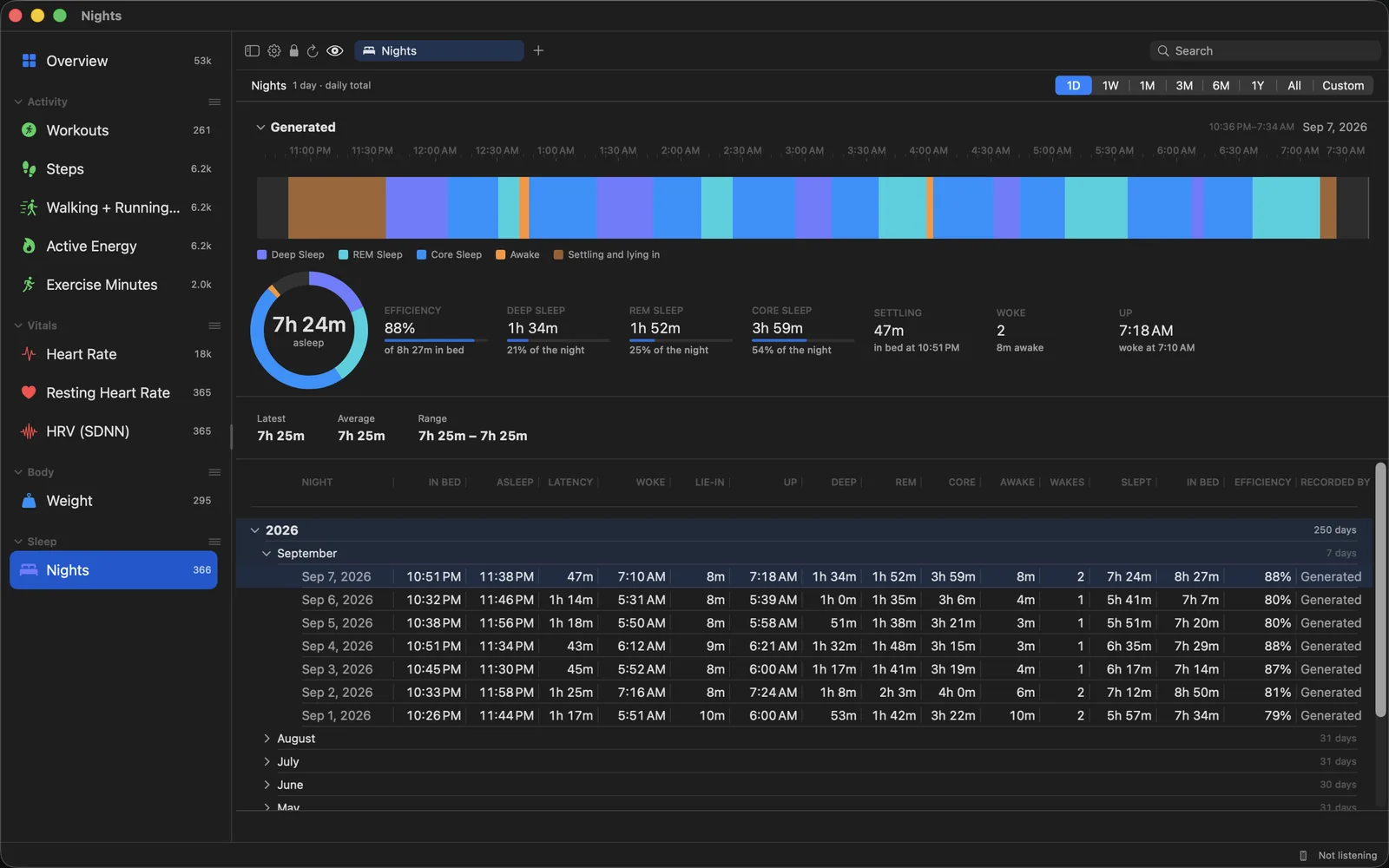
- Sleep as your ring or your watch actually recorded it: every stage in order as a hypnogram, time in bed, how long it took to fall asleep, how efficient the night was, and how often it was broken.
- Health Records downloaded from a linked provider.
- Any span you like — a day, a week, a month, three, a year, or everything at once.
On the Mac and the iPad
Your metrics down the side, the chart beside them, and the day-by-day record underneath. Pick a day and the graph becomes that day: the readings across the clock, a ring with the figures around it. Search the whole record from the toolbar. Move through years, months and days with the arrow keys.
Two ways in
- The iPhone or iPad app, which reads HealthKit as samples arrive and sends them on — including in the background, so it keeps up without being opened.
- An Apple Health export: Health → your picture → Export All Health Data. AirDrop the zip to your Mac and open it.
Both write the same rows. A reading’s identity is derived from the reading itself rather than from an identifier an export does not carry, so the two paths converge instead of double-counting the months they overlap on.
More screens
Privacy, meant literally
- The store is encrypted with SQLCipher. Its key is thirty-two random bytes held in the keychain and marked to this device only, so it never travels in an iCloud keychain — a copy of the file taken from a backup opens nowhere else.
- The sync between your devices is direct and encrypted end to end, over your own network. Your Mac and your phone find each other and nothing else does.
- No analytics. No telemetry. No third-party anything.
- A lock, if you want one: a code from your authenticator app, Face ID or Touch ID, and recovery codes for the day you have neither.
- An eye in the toolbar hides every figure on screen at once, for when somebody is reading over your shoulder.
HealthWright reads your Health data. It never writes to it. See HealthWright’s privacy policy.
HealthWright shows you what Apple Health already holds. It measures nothing, diagnoses nothing and treats nothing, and it is not a medical device.
Questions, or something not working? Get in touch — we read every message.